

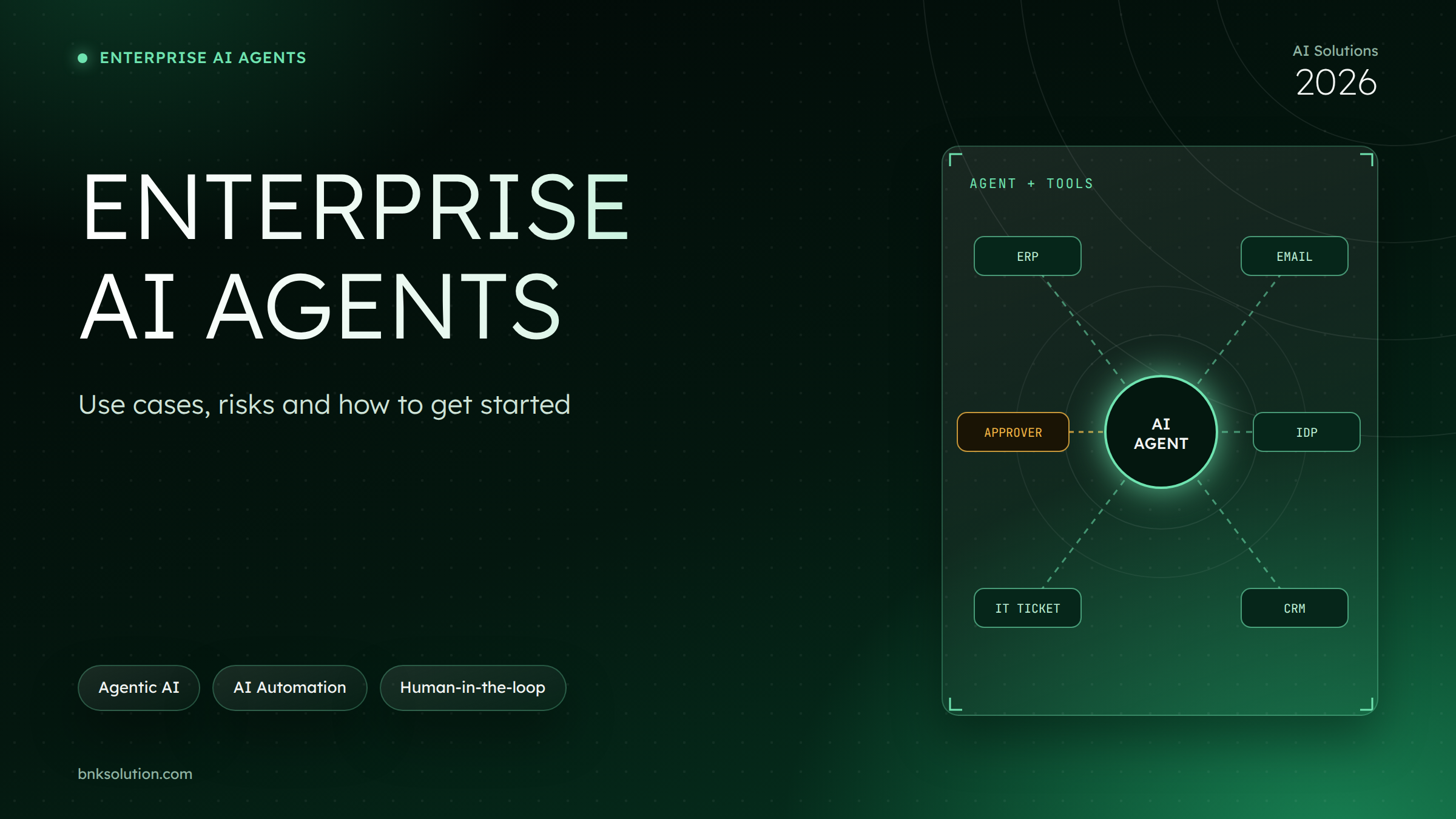
Enterprise AI agents are AI systems that take a goal, plan multiple steps on their own and use tools such as the ERP, email, document repositories or ticketing systems to complete the work within the permissions they are given. Unlike a chatbot, which only answers questions, an agent can act. Unlike RPA, which follows a fixed script, an agent can handle steps that involve exceptions.
The four best places to start are back office, customer service, document processing and IT operations. This article is for CIOs, CTOs, operations and digital transformation leaders: you will see how agents differ from chatbots and RPA, the risks to control and a 4-step roadmap for a controlled rollout.
What is an AI agent, and how does it differ from chatbots and RPA?
An AI agent differs from chatbots and RPA because it decides the next step toward a goal and then uses tools to carry it out. A chatbot answers within a conversation. RPA repeats a script exactly. An agent reads the context, chooses a tool, checks the result and only then moves on
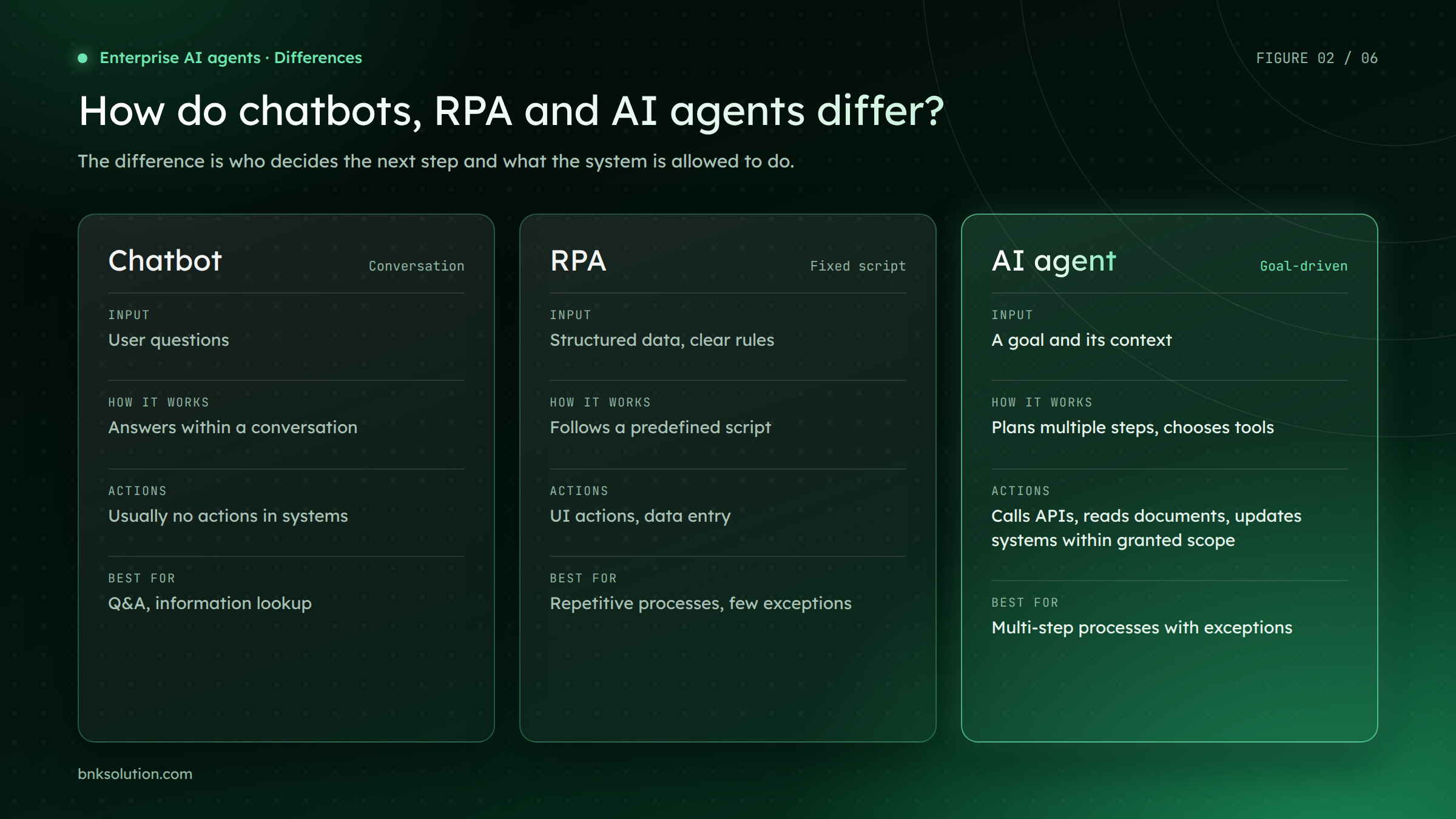
Figure 1. Chatbots, RPA and AI agents differ in their inputs, how they work and how far they are allowed to act in systems
Take the same request: "check this invoice". A chatbot can explain how to check it. An RPA bot can key the figures into the ERP if the invoice follows the expected template. An agent can read the invoice, look up the purchase order, spot the mismatch and draft an email to the supplier.
These technologies do not replace each other. In many companies the agent acts as the orchestrator: it calls RPA bots to work in legacy systems without APIs, and calls BnK IDP to read documents. This is also the direction of BnK's Intelligent Automation, which combines RPA with AI.
What are the main AI agent use cases in the enterprise?
Agents fit best where a process has multiple steps, data spread across several systems and exceptions that need judgment. The four groups below meet those conditions and each has a measurable KPI
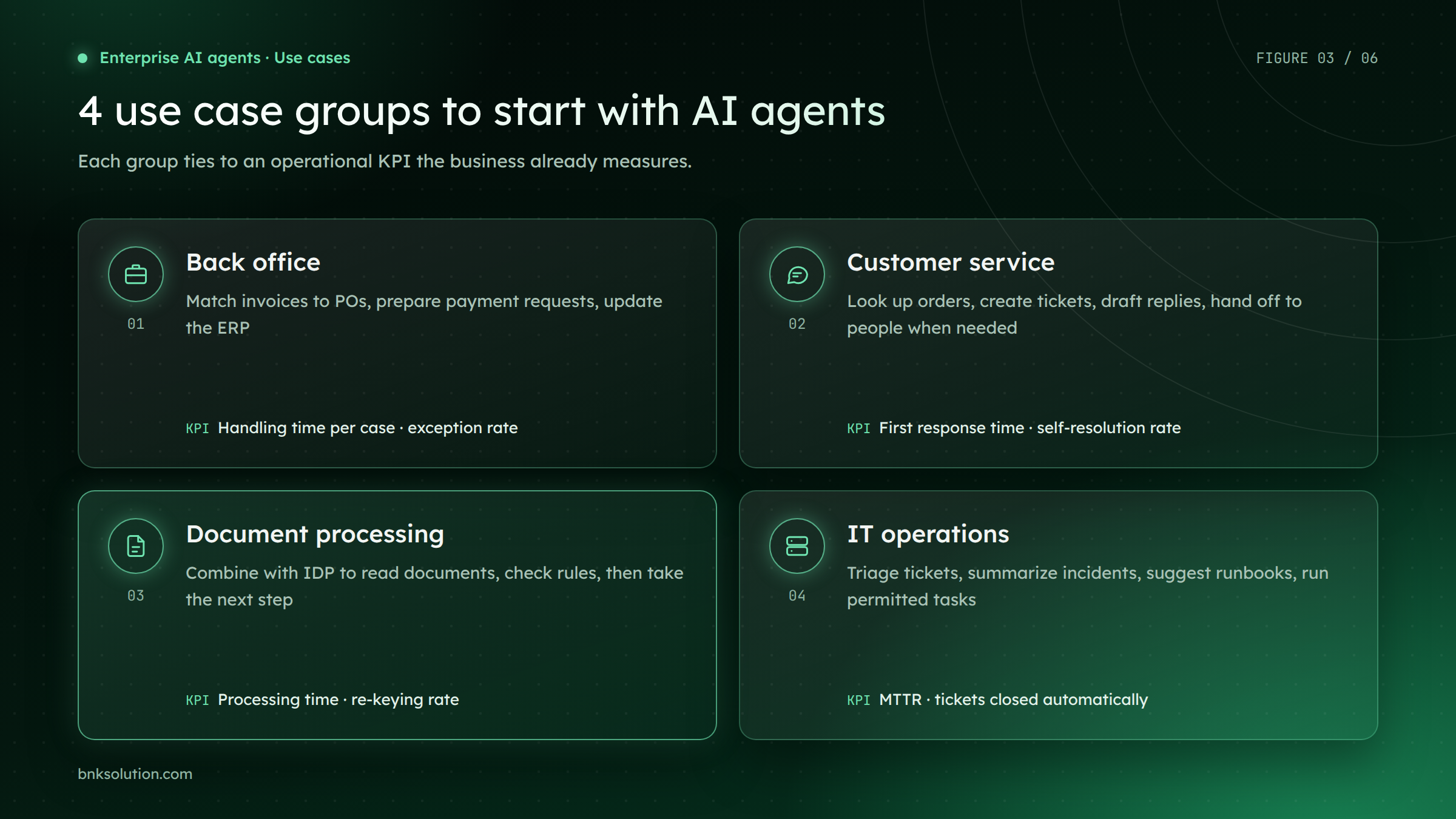
Figure 2. Four use case groups that are a good place to start with AI agents, and the KPI for each
1. Back office: reconciliation and finance
The agent receives invoices, matches them against purchase orders and goods receipts, prepares payment requests and updates the ERP. Matching cases move on; mismatches go to finance with the evidence attached. Useful KPIs are handling time per case and exception rate.
2. Customer service
The agent looks up order status, creates tickets, drafts replies based on current policy and hands off to staff when a request is out of scope. Unlike a chatbot, it does the lookup and system update itself rather than only answering. KPIs are first response time and the share of requests resolved without a hand-off.
3. Document processing
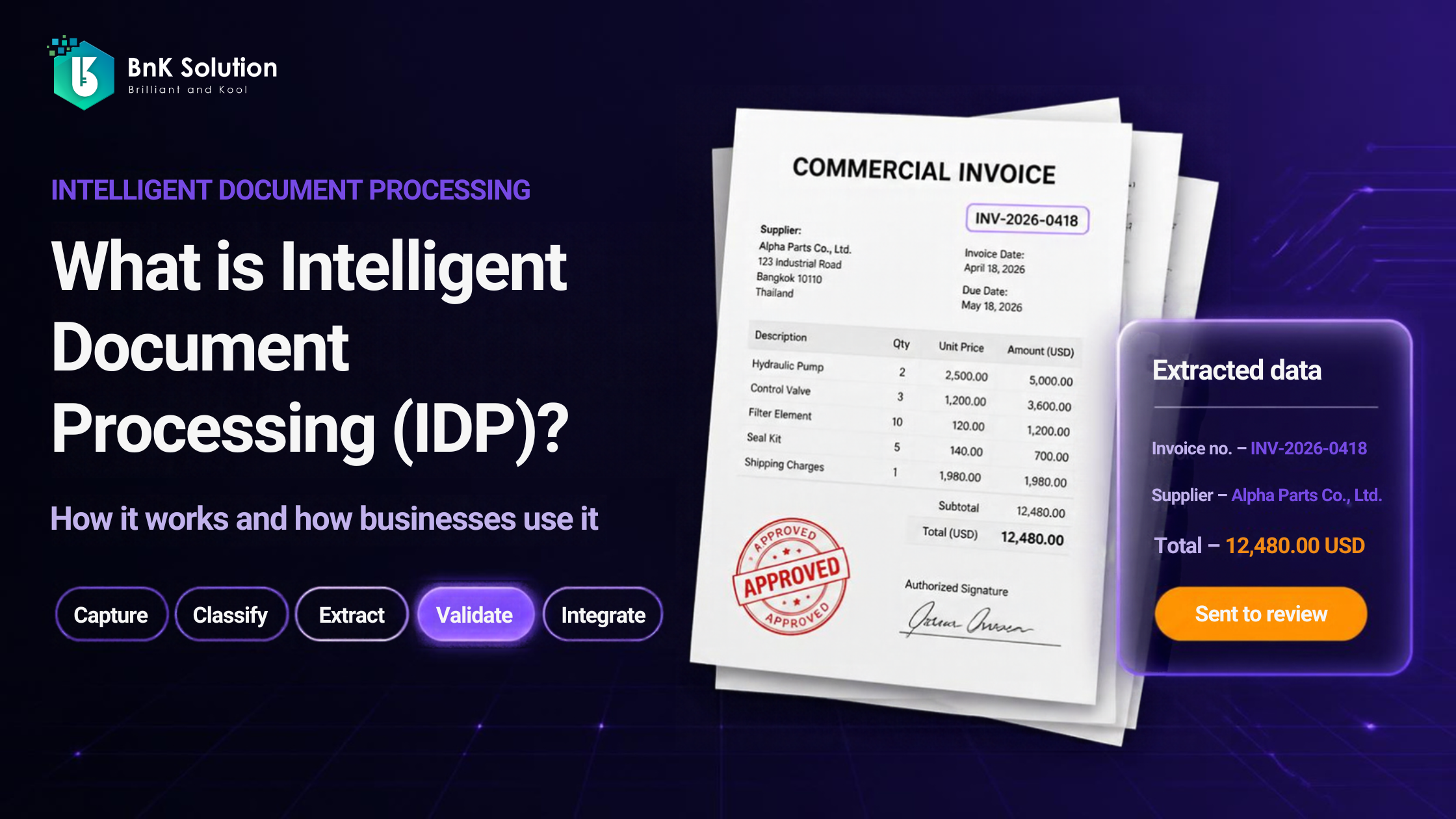
IDP reads and extracts the data, and the agent decides what happens next: check rules, look up systems, route for approval or hand off to a person. How IDP works is explained in our article on Intelligent Document Processing. BnK IDP received a Sao Khue 2025 award in the New and Innovative Software Products and Solutions category. In banking, BnK has delivered an AI tool suite including letter of credit processing and a Document Understanding Core for a bank in Vietnam.
4. IT operations
The agent triages tickets, summarizes incidents from logs and history, suggests the right runbook and carries out tasks it has been granted permission for. High-risk changes still need an engineer's approval. KPIs are mean time to resolution (MTTR) and the number of tickets closed automatically.
To see how an agent works, follow one mismatched invoice. The agent picks up the email, IDP extracts the figures, the agent checks the PO in the ERP, finds the unit price does not match and drafts an email to the supplier. The email is sent only after finance approves it, and every step is written to the audit log
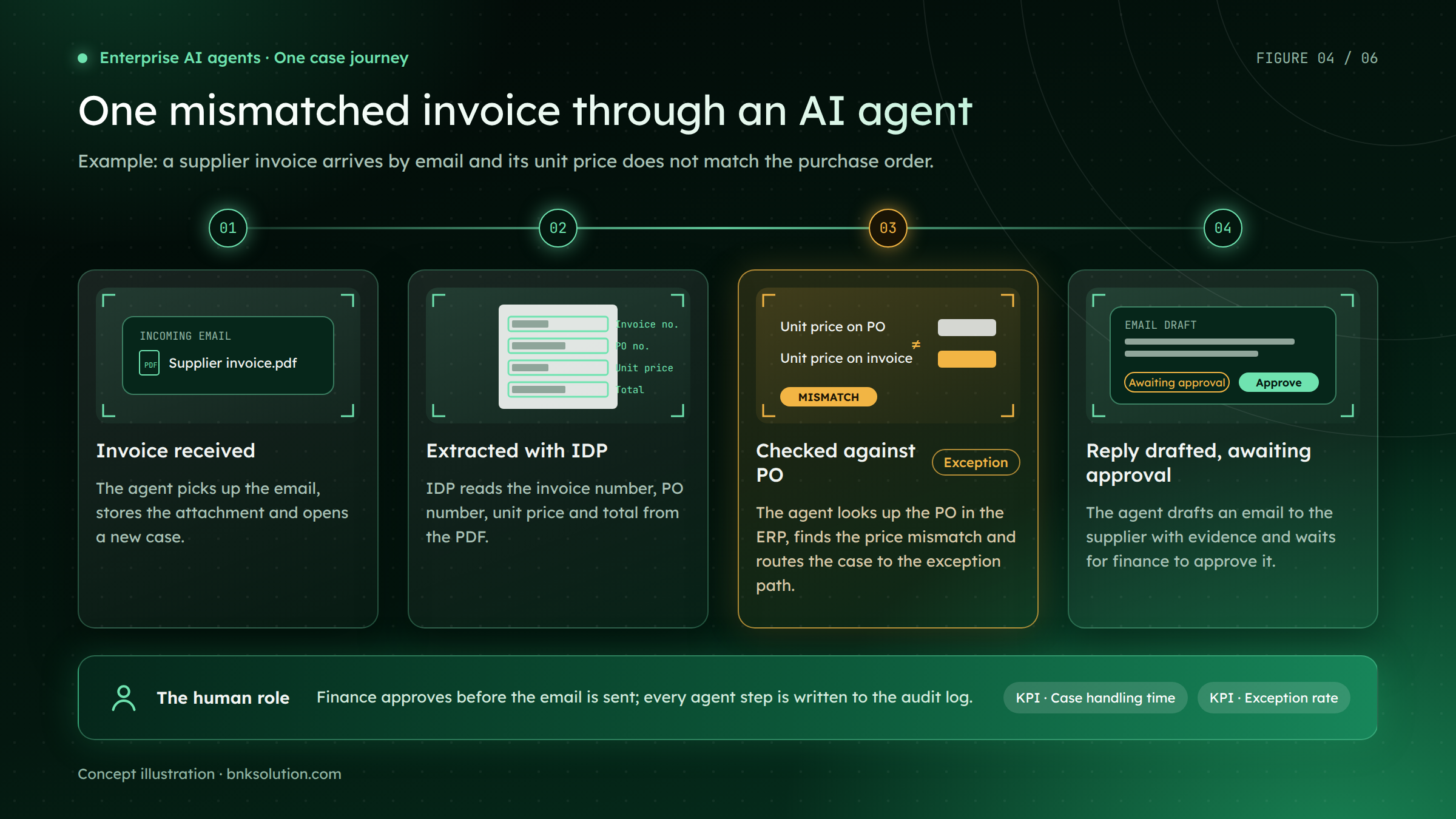
Figure 3. One mismatched invoice: the agent handles the repetitive steps, a person approves before sending (concept illustration)
What are the risks of AI agents, and which guardrails control them?
The four main risks are data leakage, hallucination, agents acting beyond their permissions and high-impact actions going unchecked. Each risk has a matching guardrail layer, and all four need an audit log for traceability
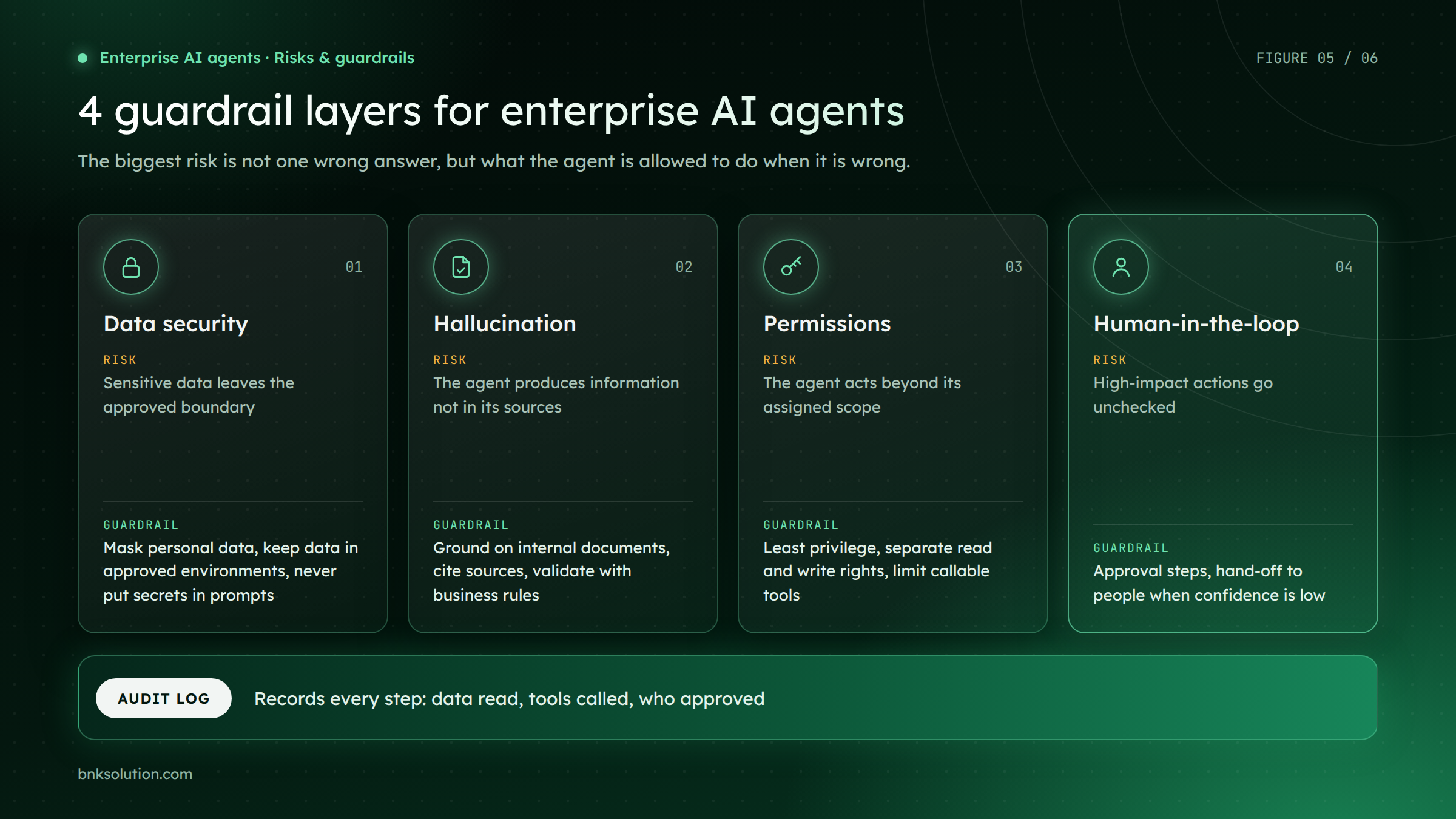
Figure 4. Four guardrail layers for enterprise AI agents, with an audit log recording every step
Data security. The agent reads only the data its task needs and runs in an approved environment; personal data is masked before it reaches the model. API keys, passwords and tokens never appear in prompts or logs. Storage must follow the applicable personal data protection rules.
Hallucination. The agent answers and decides based on retrieved internal documents and data, with sources cited. Important results are rechecked against business rules, for example that the invoice total equals the sum of its lines.
Permissions. The agent uses its own account with least privilege, separate read and write rights, and can only call an approved list of tools. Widening access is a controlled decision based on real operating results.
Human-in-the-loop. High-impact actions such as payments, sending information externally or changing systems require human approval. When confidence is low or a case has no defined rule, the agent hands off to a person instead of guessing.
This is also the principle behind BnK's AI-first application development: agents support actions only within clear guardrails, with audit logs and human oversight where needed.
A 4-step roadmap to get started with AI agents
Start with one narrow, measurable process, let the agent run with human approval, and widen its permissions only once results are proven
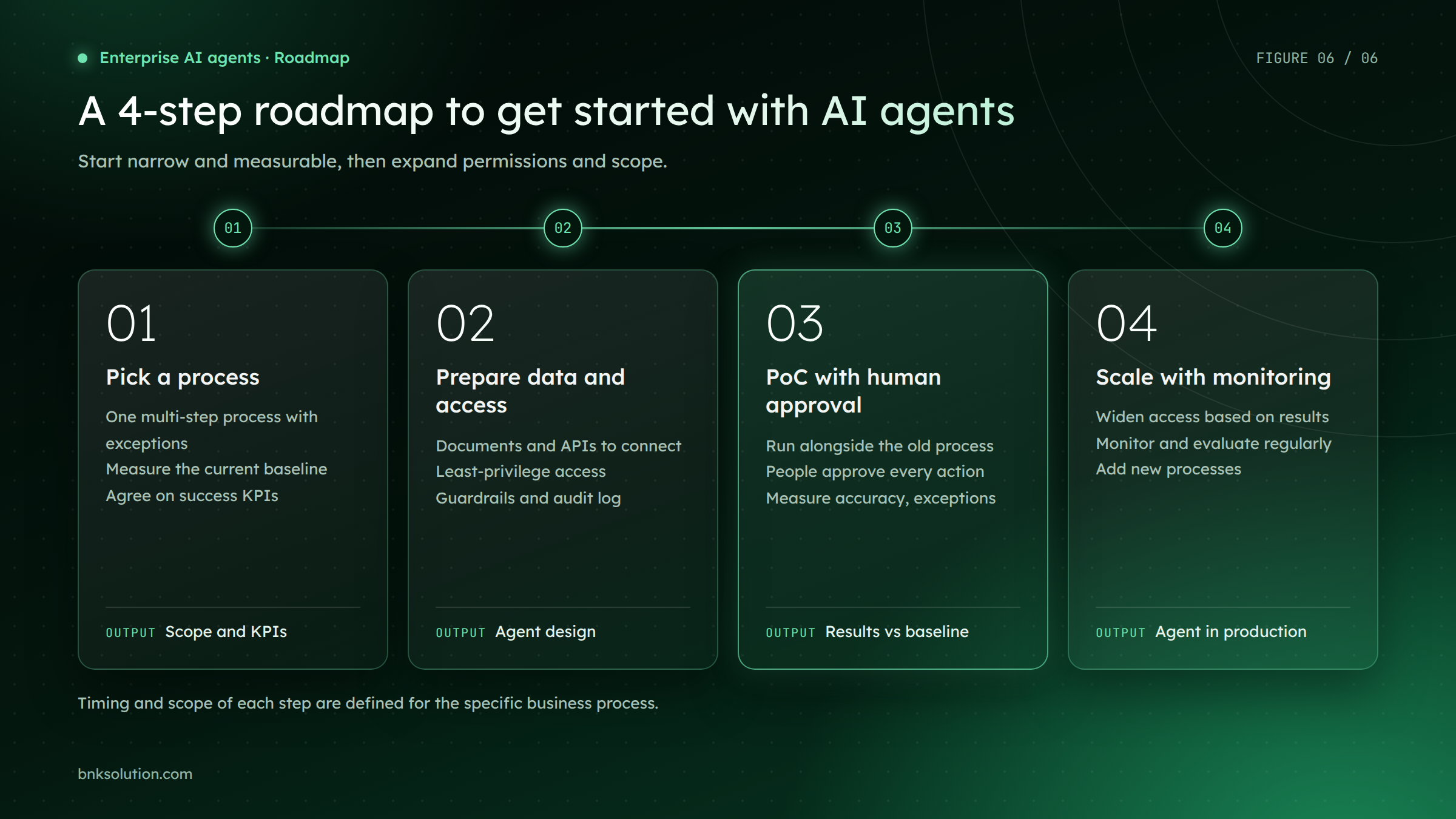
Figure 5. A 4-step roadmap for AI agents: narrow and measurable first, then scale
Pick a process: a multi-step process with exceptions that currently takes a lot of manual effort. Measure the current baseline and agree on success KPIs.
Prepare data and access: identify the documents, APIs and systems to connect; grant least-privilege access; design guardrails and the audit log from day one.
PoC with human approval: the agent runs alongside the existing process, and people approve every action. Compare accuracy, handling time and exception rate with the baseline.
Scale with monitoring: widen access step by step based on results, monitor and evaluate regularly, then add new processes.
Timing and cost depend on the number of systems to connect, data quality and the level of automation you want, so they need to be assessed for the specific process.
FAQ
How much does it cost to implement enterprise AI agents?
Cost depends on the number of systems to integrate, transaction volume, the AI model used and the level of guardrails required. An agent that reads and summarizes has a very different scope from one allowed to update the ERP. The most reliable estimate comes from starting with one specific process and a scoped PoC.
Will AI agents replace employees?
Agents take on repetitive lookup, matching and drafting. People keep approval, exception handling and relationships with customers and partners. In practice, roles shift toward oversight and decision-making rather than being replaced outright.
Will our data be used to train external models?
That depends on the deployment option and the model provider's terms. Companies should choose configurations that do not use their data for training, or deploy in a private environment. Information security and legal teams should confirm the setup before real data is used.
Can agents work with legacy systems that have no API?
Yes. The agent can call RPA bots to work through the legacy system's interface while keeping the judgment and orchestration itself. This is the Intelligent Automation model, combining RPA with AI.
Can we start without clean data?
Yes, if you pick the right process. Many back office processes start from paper or PDF documents, and IDP can digitize them before the agent takes over. What matters most is clearly described business rules, not perfect data on day one.
How do we measure whether an AI agent is effective?
Compare against the pre-rollout baseline: handling time per case, exception rate, share of results that need correction and how often people have to intervene. Track quality as well as speed, because a fast agent that makes many mistakes increases the review workload.
Start with one process
Wondering which processes an AI agent could take on in your business, and how much smoother your operations could run? Book a session with BnK’s AI specialists.






--BnK.png)
-1790317058.png)